Note
Go to the end to download the full example code
Multiple regressors#
The previous example showed complex-valued regression with a single regressor. In practice, it is common to have multiple regressors. The following example will generate a complex-valued linear problem with multiple regressors and try and visualise it.
For those unfamiliar with these types of problems, please refer to the Wikipedia entry on linear regression.
from loguru import logger
import numpy as np
import matplotlib.pyplot as plt
from regressioninc.linear.models import add_intercept, OLS
from regressioninc.testing.complex import generate_random_regressors, plot_complex
from regressioninc.testing.complex import ComplexGrid

logger.remove()
np.random.seed(42)
Let’s begin where the previous example ended.
grid = ComplexGrid(r1=0, r2=10, nr=11, i1=-5, i2=5, ni=11)
X = grid.flat_grid()
param1 = np.array([0.5 + 2j])
intercept = 20 + 20j
y = np.matmul(X, param1) + intercept

fig = plt.figure()
for iobs in range(y.size):
    plt.plot(
        [y[iobs].real, X[iobs, 0].real],
        [y[iobs].imag, X[iobs, 0].imag],
        color="k",
        lw=0.3,
    )
plt.scatter(X.real, X.imag, c="tab:blue", label="Regressors")
plt.grid()
plt.title("Regressors X")
plt.scatter(y.real, y.imag, c="tab:red", label="Regressand")
plt.grid()
plt.legend()
plt.title("Complex regression")
plt.show()
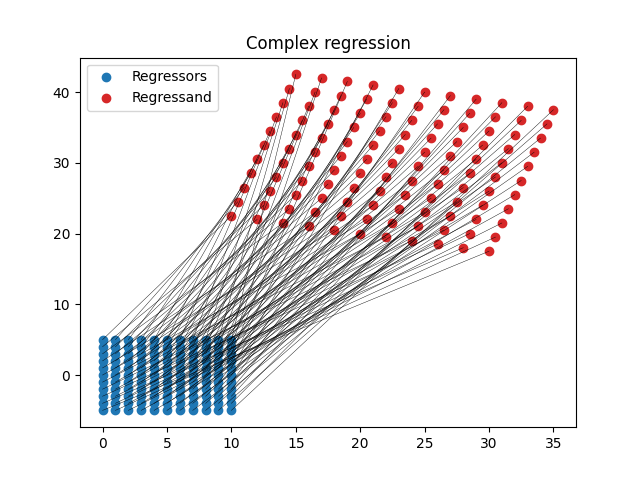
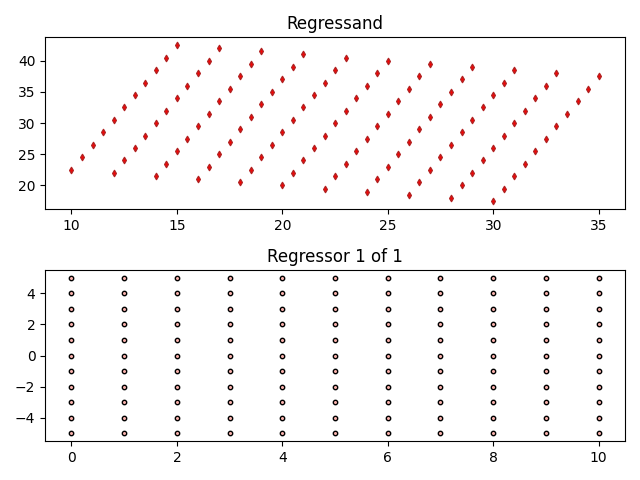
Now plot this in a different way that will make it easier to visualise more than a single regressor.
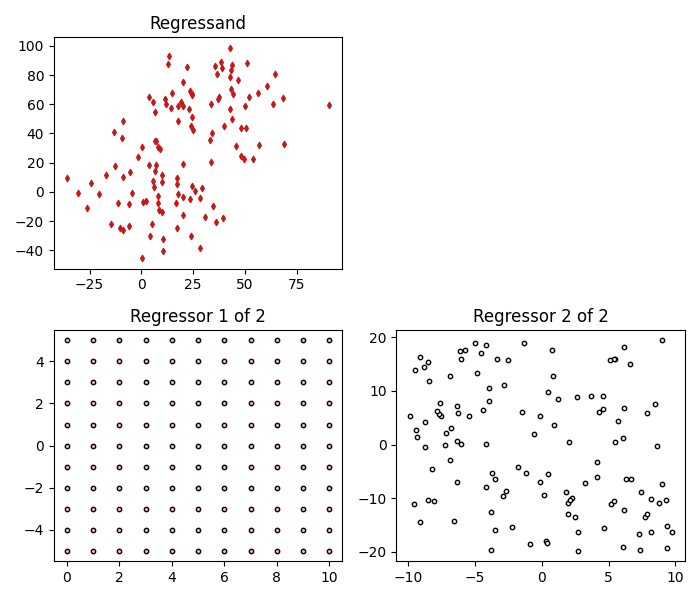
To add a second regressor, let’s define a second parameter (coefficent) and generate some random complex-valued data for the regressor.
Now combine the new parameter and regressor data with the initial data and generate our new regrassand, which will also include an intercept.
params = np.concatenate((param1, param2))
X = np.concatenate((X, X2), axis=1)
intercept = 20 + 20j
y = np.matmul(X, params) + intercept

fig = plot_complex(X, y, {})
fig.set_size_inches(7, 6)
plt.tight_layout()
plt.show()
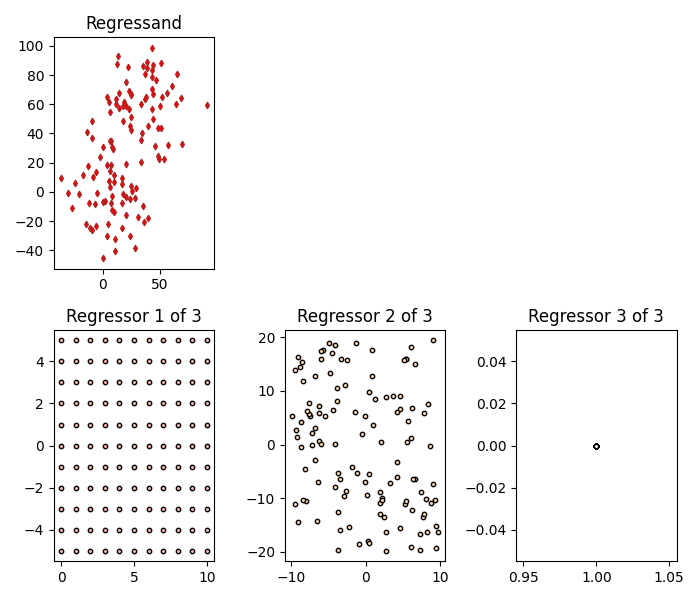
To solve for an intecerpt, an intercept column needs to be explicitly added to the regressors X before passing X through to the model. Adding an intercept simply adds a column of 1s to the regressors.
X = add_intercept(X)
fig = plot_complex(X, y, {})
fig.set_size_inches(7, 6)
plt.tight_layout()
plt.show()
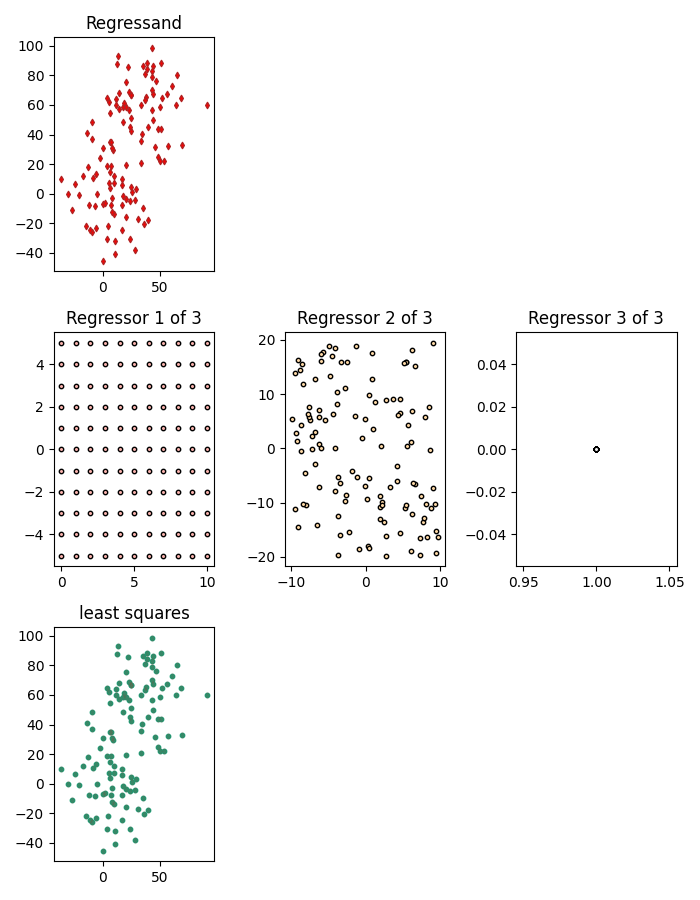
Now the two parameters and the intercept can be estimated using the regrassand y and the regressors X and ordinary least squares.
model = OLS()
model.fit(X, y)
for idx, params in enumerate(model.estimate.params):
    print(f"parameter {idx}: {params:.6f}")
parameter 0: 0.500000+2.000000j
parameter 1: 2.700000-1.800000j
parameter 2: 20.000000+20.000000j
Finally, the predicted regressand calculated using the estimated parameters can be added to the visualisation.
fig = plot_complex(X, y, {"least squares": model})
fig.set_size_inches(7, 9)
plt.tight_layout()
plt.show()
Total running time of the script: (0 minutes 2.911 seconds)